

Google’s Looker Studio is an effective tool for organizing analytics data into clean, custom, and easy-to-digest reports. Once you create such reports, you’ll likely want to regularly share them with board members, VPs, and other employees of your firm. Fortunately, Looker Studio makes it simple to automate report delivery on a schedule that works for your business.
Getting Started
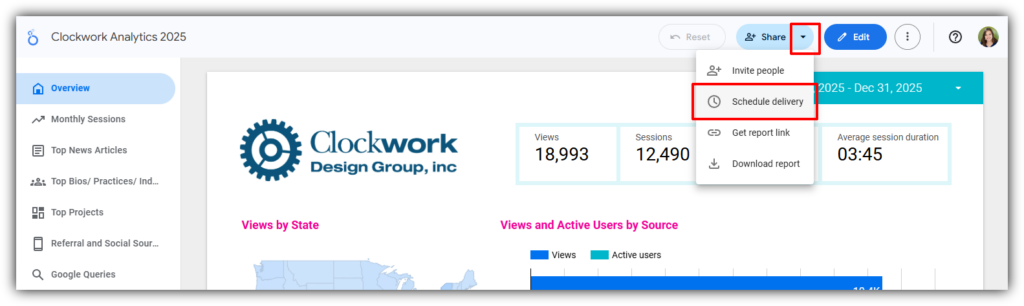
To schedule a report, navigate to Share → Schedule delivery in the top menu.
Key Settings
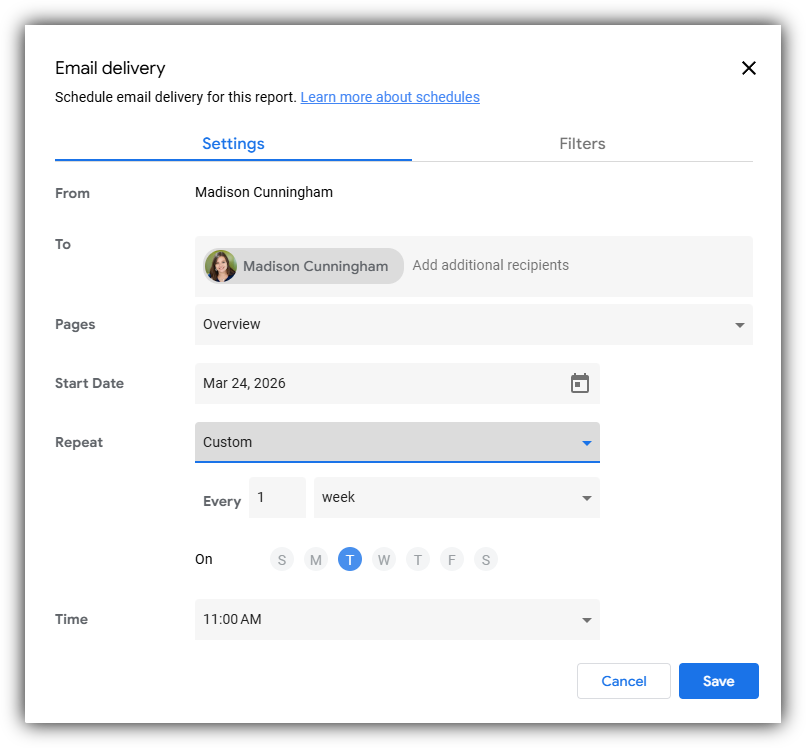
To: Add recipients just like you would when sending an email. The schedule creator is included by default. Keep in mind that this list is separate from the report’s sharing permissions. So, while all recipients will be able to view the PDF version of the report attached to the email, only those who have been granted access to the report itself will be able to view the interactive version.
Pages: Select which pages of the report to include. This is especially useful if you want to share a high-level overview with a broad audience while keeping more detailed pages to limited access.
Start Date: This is the first date the report will be sent, and your repeat schedule suggestions will be based on this selection.
Repeat: Set how often the report is delivered. You can select from suggested intervals or create a custom schedule that fits your desired reporting cycle.
Filters
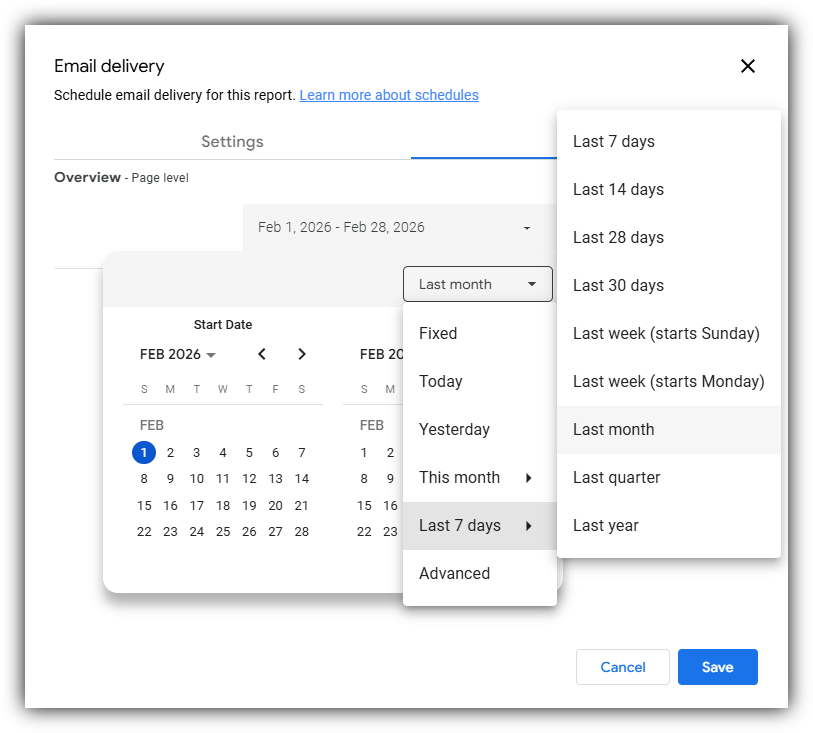
The Filters tab lets you control how data is displayed in the scheduled report.
Note, this tab will only offer you options for any controls added to your report. We recommend including a date range control in your report and setting it to automatically show the previous period (e.g., last month or last week). This ensures your reports stay current without requiring manual updates before each send.
Click save, and you’re all set! With just a few quick settings, you can turn your Looker Studio reports into a fully automated system that saves time and keeps your team consistently informed.
Trying to Build a Report in Looker Studio?
Learn how to build a Looker Studio report from the ground up, or contact us for a full analytics set-up for your firm.