
Custom social media templates make creating consistent, professional content faster and easier. These best practices will help you get the most out of your new Canva template links.
Why Should I Use Templates?
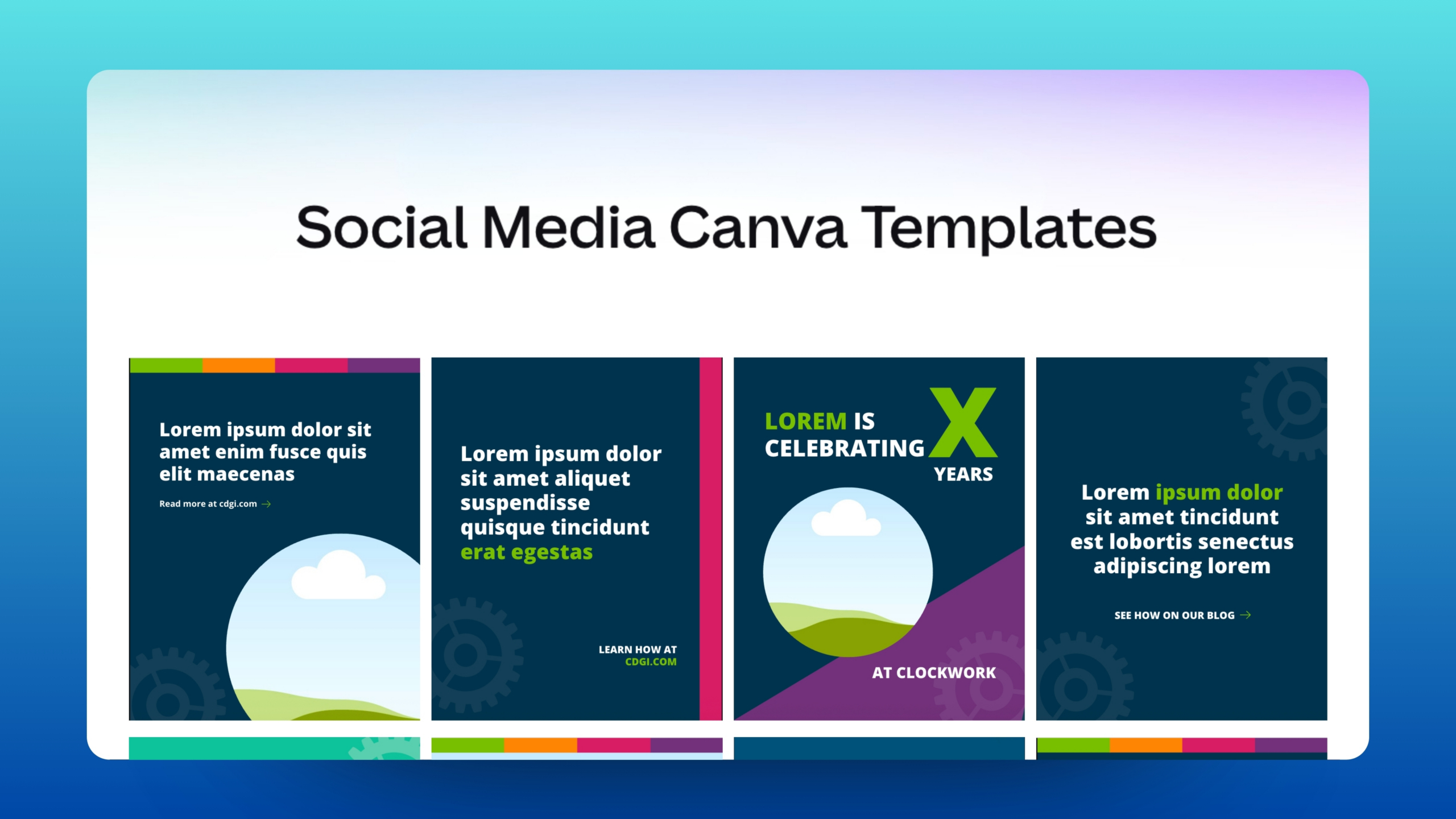
Templates are pre-designed layouts that can be customized and reused for a variety of social media posts, such as team member spotlights, project announcements, and firm events. They’re designed to accommodate different content, from logos and images to varying amounts of text, while keeping every graphic consistent and on-brand.
Instead of starting from scratch, simply choose the template that fits your post, update the content, and export a polished graphic that’s ready to share.
Opening & Saving Canva Templates
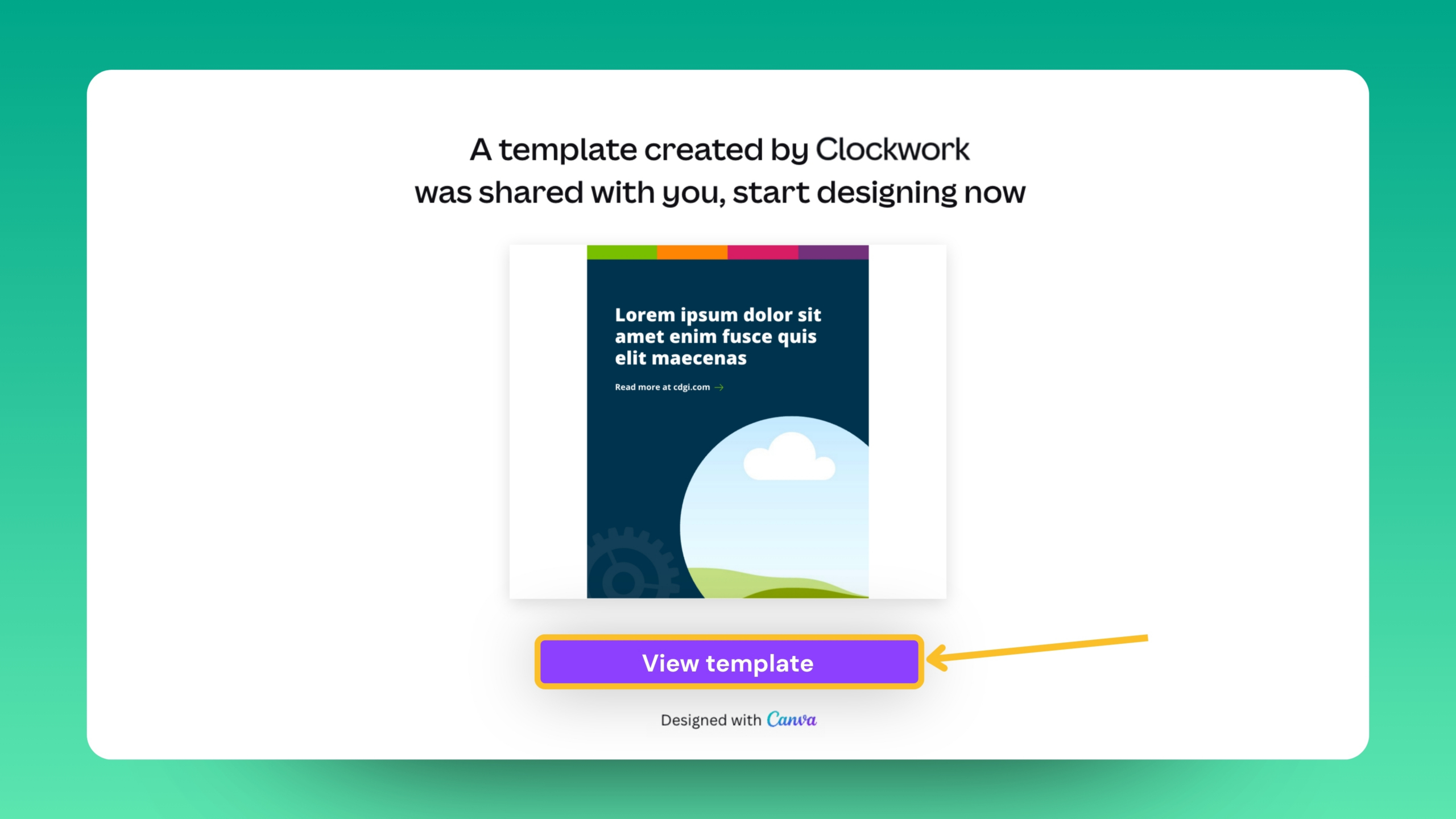
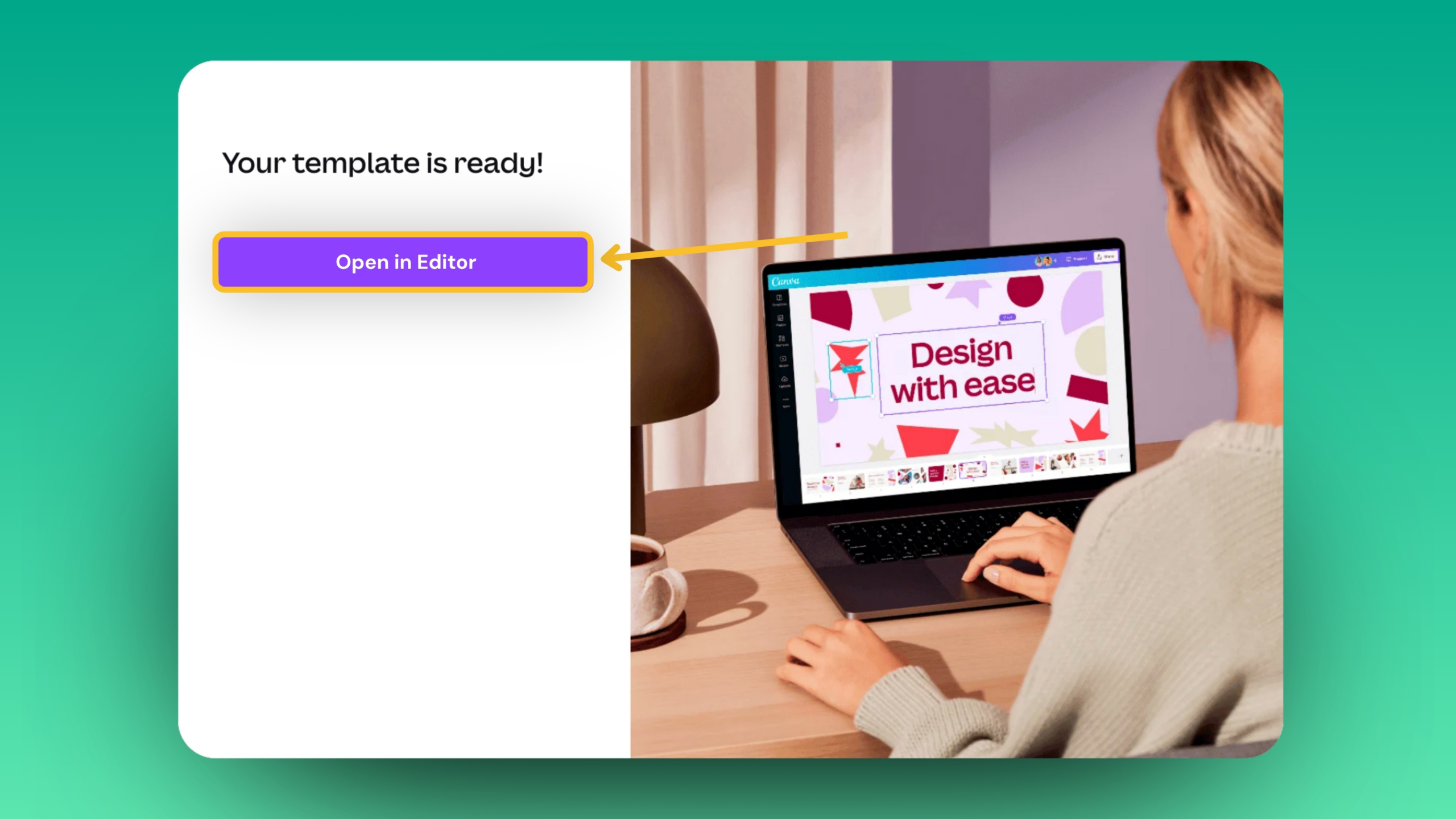
Custom Canva social media templates are often delivered through a unique Canva Template Link. We recommend bookmarking these links or saving them somewhere easily accessible for future use. After clicking on the link, select View Template, then Open Editor to copy the design into your Canva account.
Tip: Once opened, rename the file and remove the “Copy of…” text so that it’s easier to find later.
Setting a Brand Template
At this point, the design is ready to edit, duplicate, and reuse for future posts. However, consider saving it as a Brand Template, especially if you’re working in a shared Canva workspace. This creates a central master version that helps prevent accidental edits or deletions and makes it easier for your team to create consistent, on-brand graphics. You will need access to Canva Pro to use this feature.
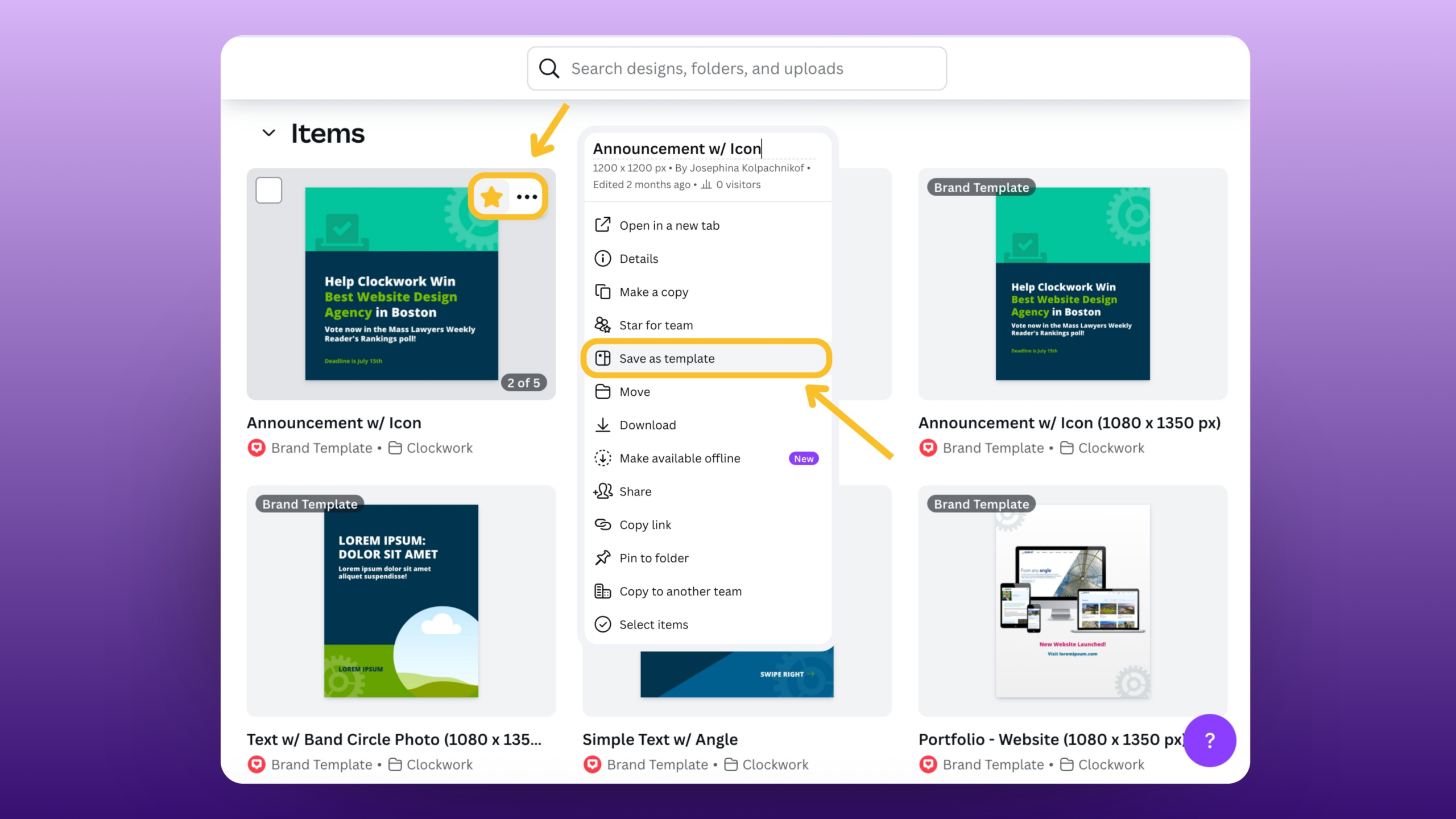
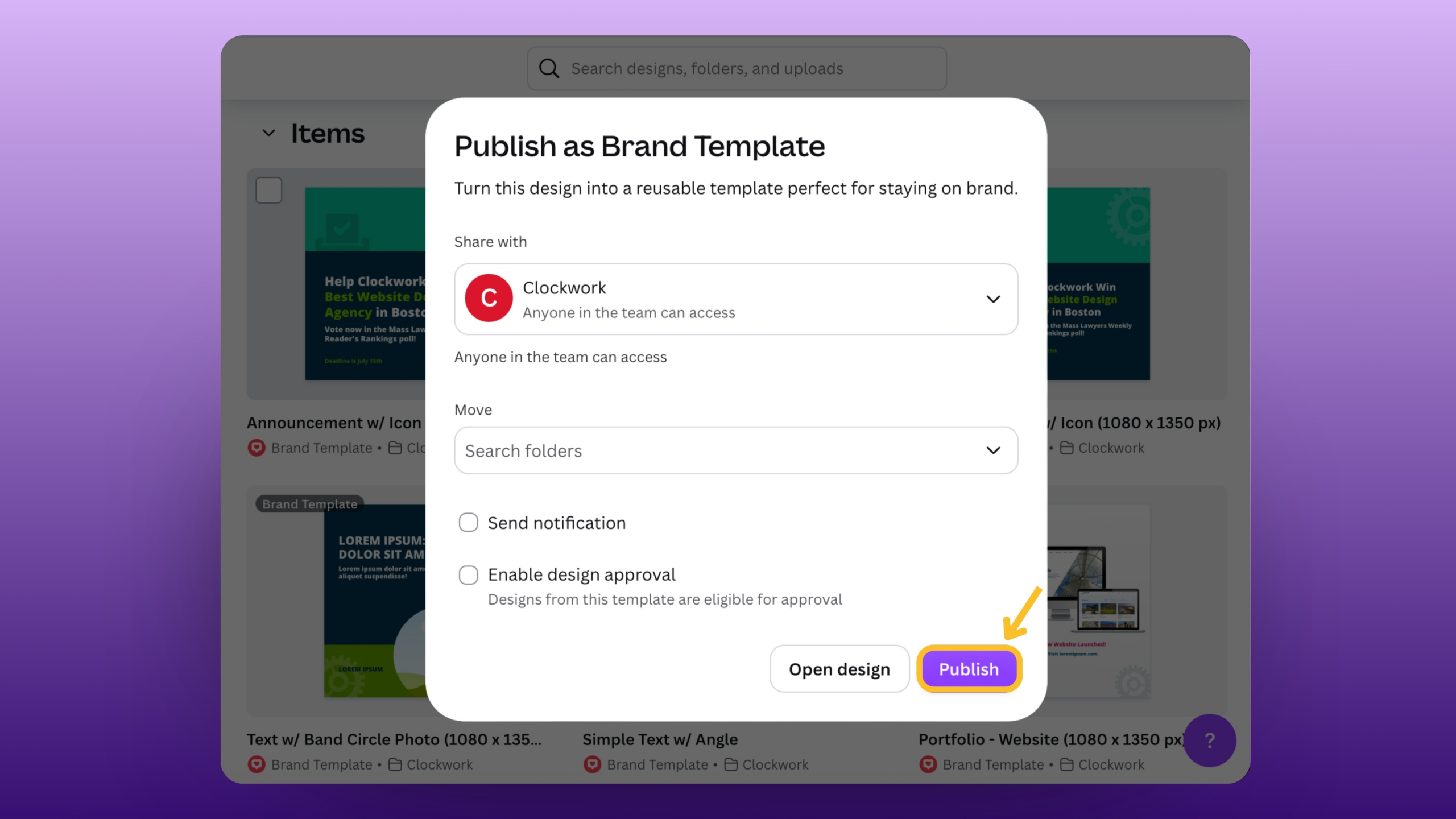
To create a Brand Template from one of your copied designs, select the three dots, then Set as Template, and Publish it. The template will then appear in the Brand section of your Canva workspace, where anyone on your team can easily access it.
Looking to Elevate Your Firm’s Social Presence?
We love designing social media graphics! If you have questions or would like help designing custom templates for your firm, contact us. 😊
About The Author